> ## Documentation Index
> Fetch the complete documentation index at: https://docs.oration.ai/llms.txt
> Use this file to discover all available pages before exploring further.
# History
> How to review, analyze, and extract insights from your conversation history in Oration AI
## Overview
The **History** section in Oration AI provides a comprehensive view of all your past conversations. Here, you can review call details, listen to recordings, analyze transcripts, inspect dynamic variables, and run post-call analysis to extract actionable insights.
***
## 1. Conversation History Overview
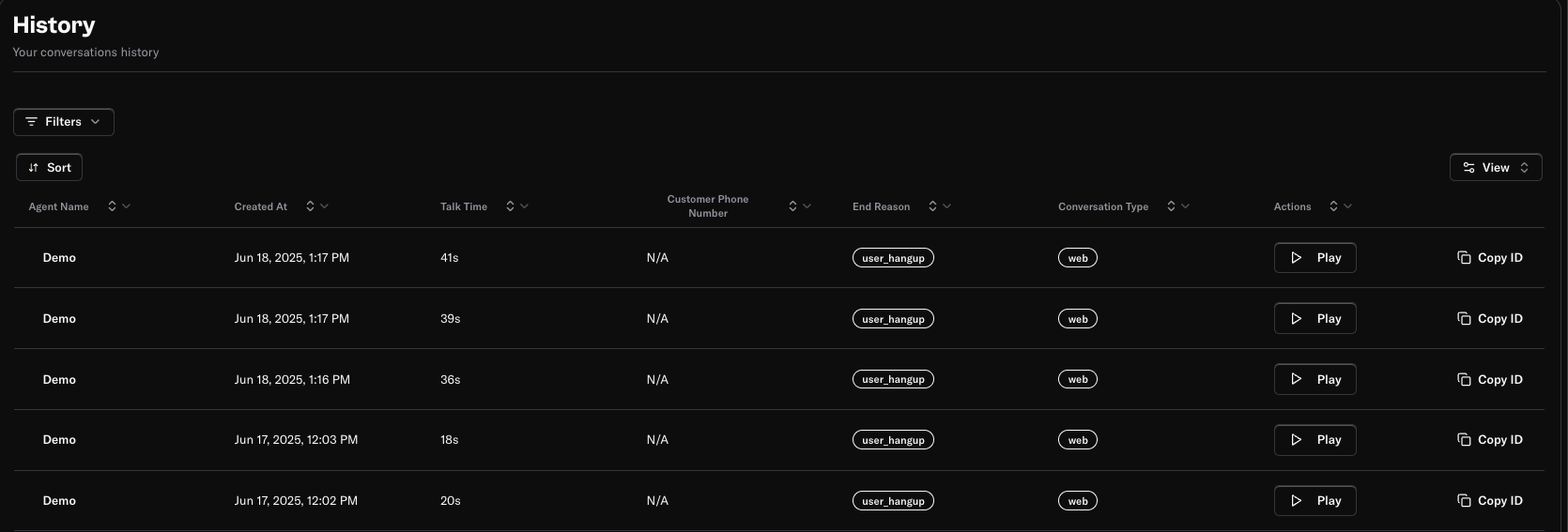 The master view displays a list of all calls made by your agents. For each conversation, you can see:
* **Agent Name:** The agent who handled the call.
* **Created At:** The date and time the call was initiated.
* **Talk Time:** Duration of the conversation.
* **Customer Phone Number:** The number of the customer involved in the call.
* **End Reason:** Why the call ended (e.g., user hangup, completed).
* **Conversation Type:** The channel used (e.g., telephony).
* **Actions:** Play the call recording or copy the conversation ID for reference.
You can filter, sort, and change the view to quickly find the conversations you’re interested in.
***
## 2. Call Transcript and Details
The master view displays a list of all calls made by your agents. For each conversation, you can see:
* **Agent Name:** The agent who handled the call.
* **Created At:** The date and time the call was initiated.
* **Talk Time:** Duration of the conversation.
* **Customer Phone Number:** The number of the customer involved in the call.
* **End Reason:** Why the call ended (e.g., user hangup, completed).
* **Conversation Type:** The channel used (e.g., telephony).
* **Actions:** Play the call recording or copy the conversation ID for reference.
You can filter, sort, and change the view to quickly find the conversations you’re interested in.
***
## 2. Call Transcript and Details
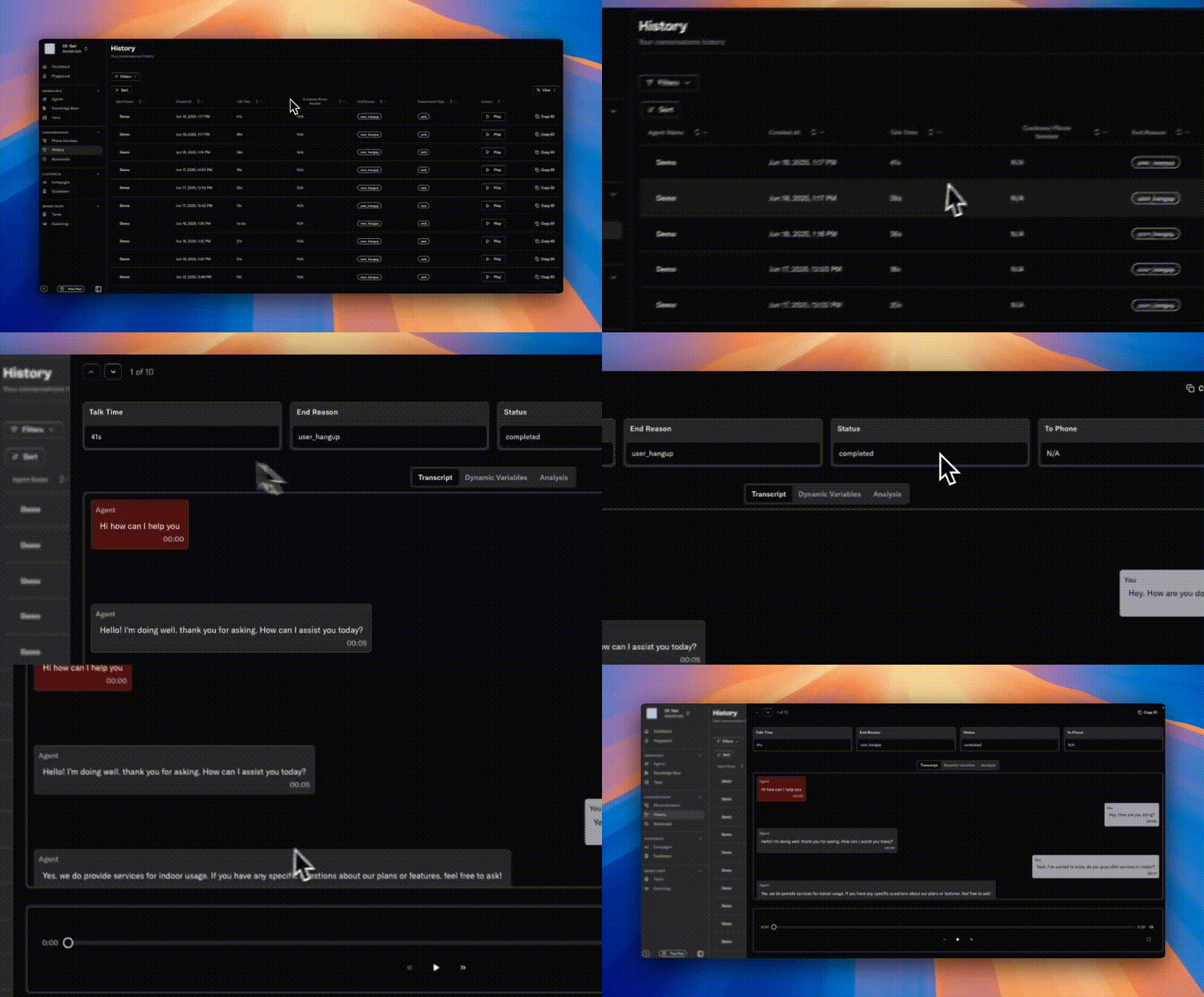 Clicking on a conversation opens a detailed view, where you can:
* **See Talk Time, End Reason, Status, and Phone Number:** At the top, key call metrics and metadata are displayed.
* **Transcript Tab:** Review the full transcript of the conversation, with clear separation between agent and customer messages, including timestamps.
* **Playback Controls:** Listen to the call recording directly within the interface.
This helps you audit conversations, understand customer interactions, and ensure quality.
***
## 3. Dynamic Variables
Clicking on a conversation opens a detailed view, where you can:
* **See Talk Time, End Reason, Status, and Phone Number:** At the top, key call metrics and metadata are displayed.
* **Transcript Tab:** Review the full transcript of the conversation, with clear separation between agent and customer messages, including timestamps.
* **Playback Controls:** Listen to the call recording directly within the interface.
This helps you audit conversations, understand customer interactions, and ensure quality.
***
## 3. Dynamic Variables
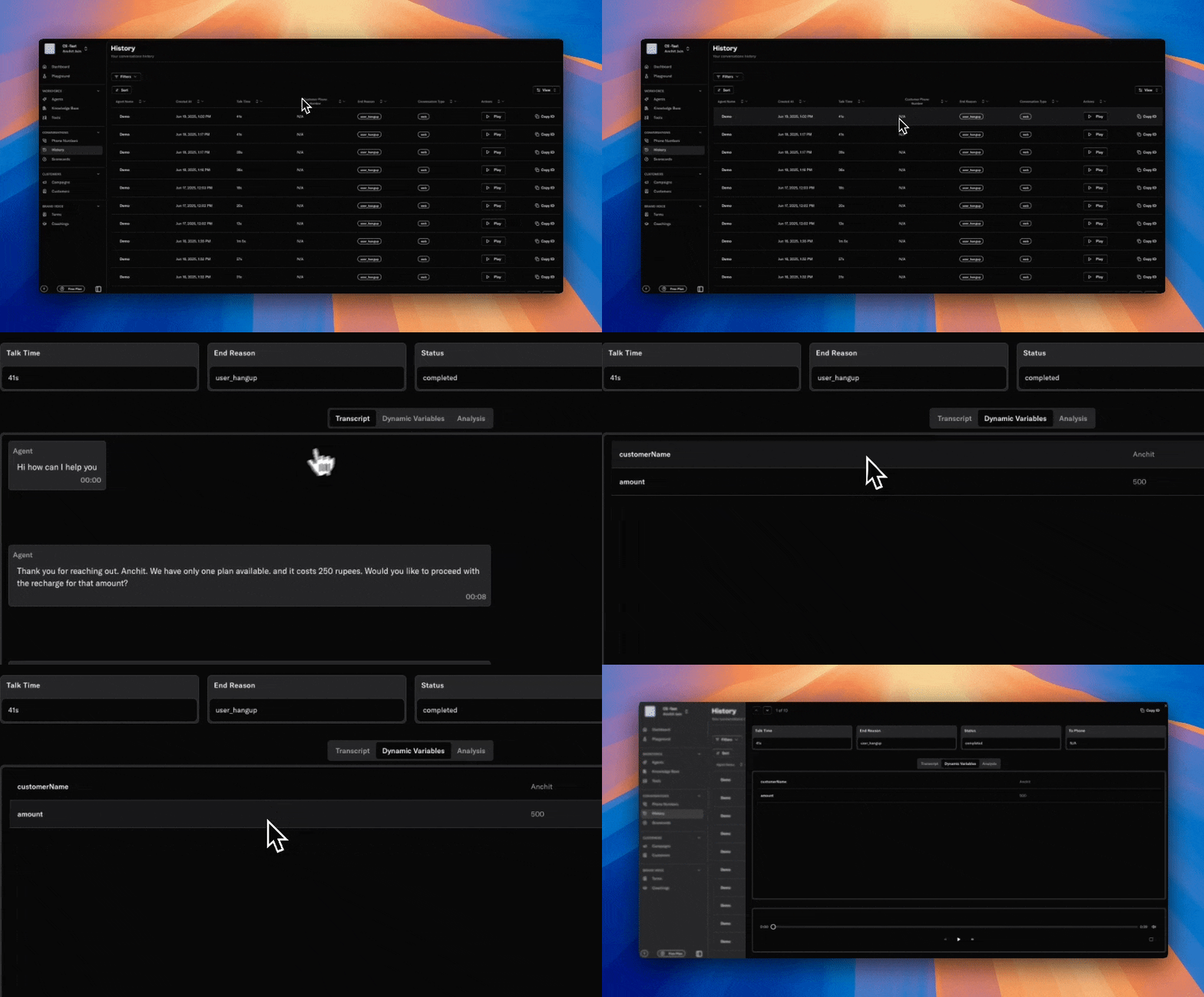 The **Dynamic Variables** tab shows all the placeholders and values used during the conversation. These variables can be referenced in your agent’s prompts and responses to personalize the experience.
**Examples:**
* `customerName`: The name of the customer.
* `amount`: Financial details relevant to the call.
Dynamic variables make your agents more context-aware and responsive.
***
## 4. Post Call Analysis
The **Dynamic Variables** tab shows all the placeholders and values used during the conversation. These variables can be referenced in your agent’s prompts and responses to personalize the experience.
**Examples:**
* `customerName`: The name of the customer.
* `amount`: Financial details relevant to the call.
Dynamic variables make your agents more context-aware and responsive.
***
## 4. Post Call Analysis
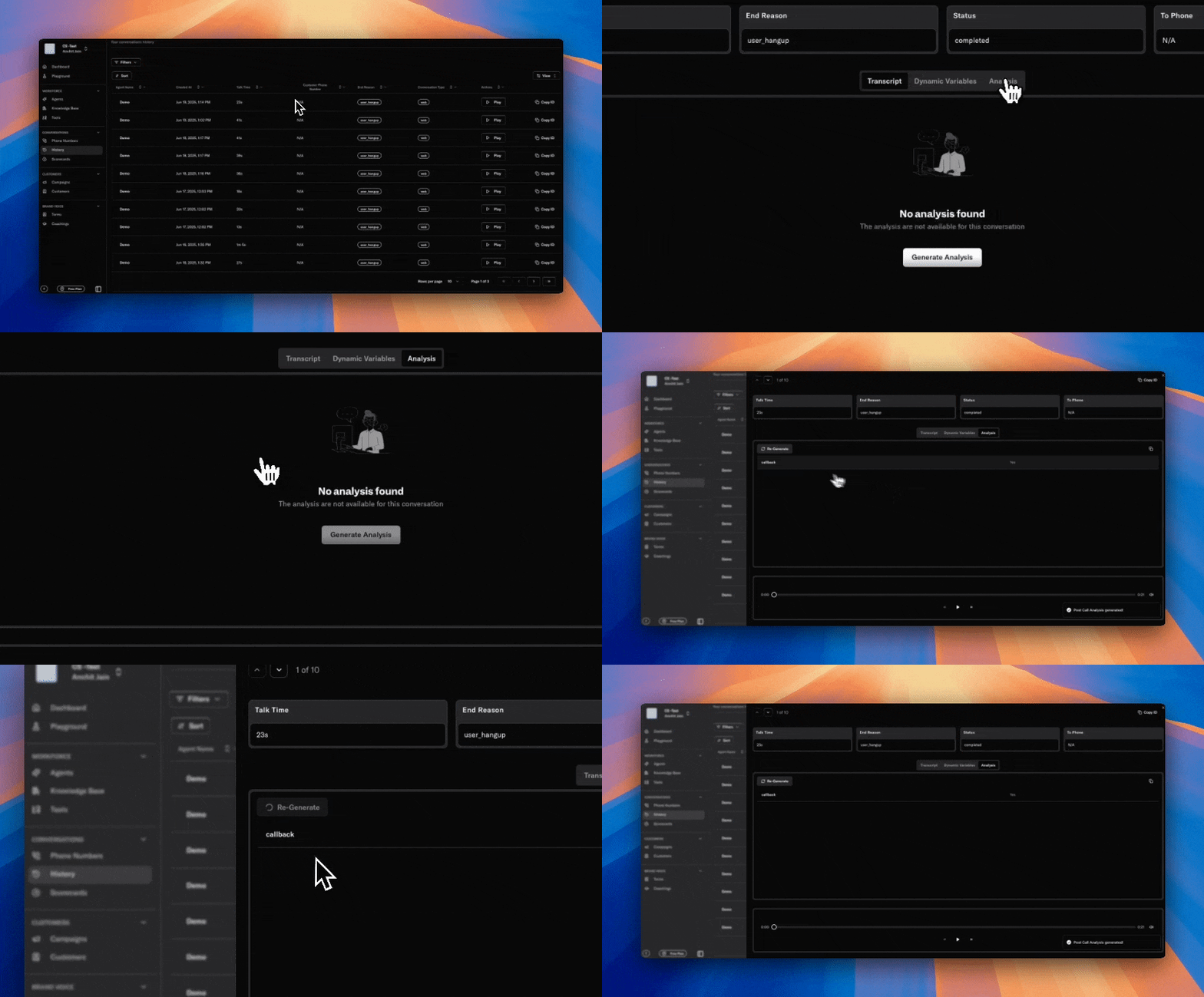 The **Post Call Analysis** feature lets you extract structured insights from every conversation using AI.
* **Is Enabled:** Toggle to automatically run analysis after every call.
* **Prompt:** Write a custom prompt to instruct the AI on what to analyze in the transcript, or click **Generate Prompt** for AI assistance.
* **Schema:** Define the tags or events you want to capture from the transcript. For each event, specify:
* **Type:** The data type (e.g., String).
* **Event Name:** The label for the event (e.g., Callback).
* **Description:** Describe the event, including scenarios, possible values, criteria, and examples.
**Example:**\
To detect if a customer requested a callback, set:
* Type: String
* Event Name: Callback
* Description: "Indicates if the customer asked for a callback. Values: 'yes', 'no'. Criteria: Look for phrases like 'please call me back', 'can you call later', etc. Example: 'I missed your call, can you call me again?'"
This structured analysis helps you track key outcomes, monitor agent performance, and identify trends for continuous improvement.
***
## Best Practices
* **Regularly review transcripts and recordings** to ensure quality and compliance.
* **Leverage dynamic variables** for personalized and context-rich agent responses.
* **Use post call analysis** to automate insight extraction and drive data-driven decisions.
* **Define clear schemas(event)** for events you want to track, and update them as your business needs evolve.
***
> Need more help? Reach out to our team at [support@oration.ai](mailto:support@oration.ai)
The **Post Call Analysis** feature lets you extract structured insights from every conversation using AI.
* **Is Enabled:** Toggle to automatically run analysis after every call.
* **Prompt:** Write a custom prompt to instruct the AI on what to analyze in the transcript, or click **Generate Prompt** for AI assistance.
* **Schema:** Define the tags or events you want to capture from the transcript. For each event, specify:
* **Type:** The data type (e.g., String).
* **Event Name:** The label for the event (e.g., Callback).
* **Description:** Describe the event, including scenarios, possible values, criteria, and examples.
**Example:**\
To detect if a customer requested a callback, set:
* Type: String
* Event Name: Callback
* Description: "Indicates if the customer asked for a callback. Values: 'yes', 'no'. Criteria: Look for phrases like 'please call me back', 'can you call later', etc. Example: 'I missed your call, can you call me again?'"
This structured analysis helps you track key outcomes, monitor agent performance, and identify trends for continuous improvement.
***
## Best Practices
* **Regularly review transcripts and recordings** to ensure quality and compliance.
* **Leverage dynamic variables** for personalized and context-rich agent responses.
* **Use post call analysis** to automate insight extraction and drive data-driven decisions.
* **Define clear schemas(event)** for events you want to track, and update them as your business needs evolve.
***
> Need more help? Reach out to our team at [support@oration.ai](mailto:support@oration.ai)