> ## Documentation Index
> Fetch the complete documentation index at: https://docs.oration.ai/llms.txt
> Use this file to discover all available pages before exploring further.
# Coaching
> Standardize how agents respond to common or critical situations.
## Overview
**Coaching** in Oration is a powerful way to train your agents to handle specific scenarios with the right responses. By defining coaching instructions, you ensure that your agents consistently follow best practices and company guidelines during customer interactions.
***
 ## Viewing and Managing Coachings
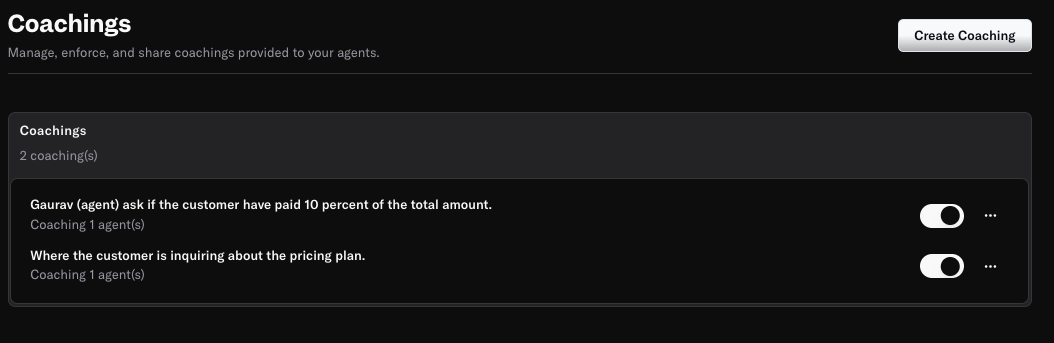
The **Coaching** dashboard provides an overview of all coaching instructions you’ve created. For each coaching, you can see:
* **Scenario:** The situation or trigger for the coaching (e.g., "Where the customer is inquiring about the pricing plan").
* **Assigned Agents:** Which agents will receive this coaching.
* **Status Toggle:** Enable or disable coaching as needed.
You can easily add, edit, or remove coaching instructions to keep your training up to date.
***
## Creating a New Coaching
To add a new coaching instruction, click the **Create Coaching** button.
## Viewing and Managing Coachings
The **Coaching** dashboard provides an overview of all coaching instructions you’ve created. For each coaching, you can see:
* **Scenario:** The situation or trigger for the coaching (e.g., "Where the customer is inquiring about the pricing plan").
* **Assigned Agents:** Which agents will receive this coaching.
* **Status Toggle:** Enable or disable coaching as needed.
You can easily add, edit, or remove coaching instructions to keep your training up to date.
***
## Creating a New Coaching
To add a new coaching instruction, click the **Create Coaching** button.
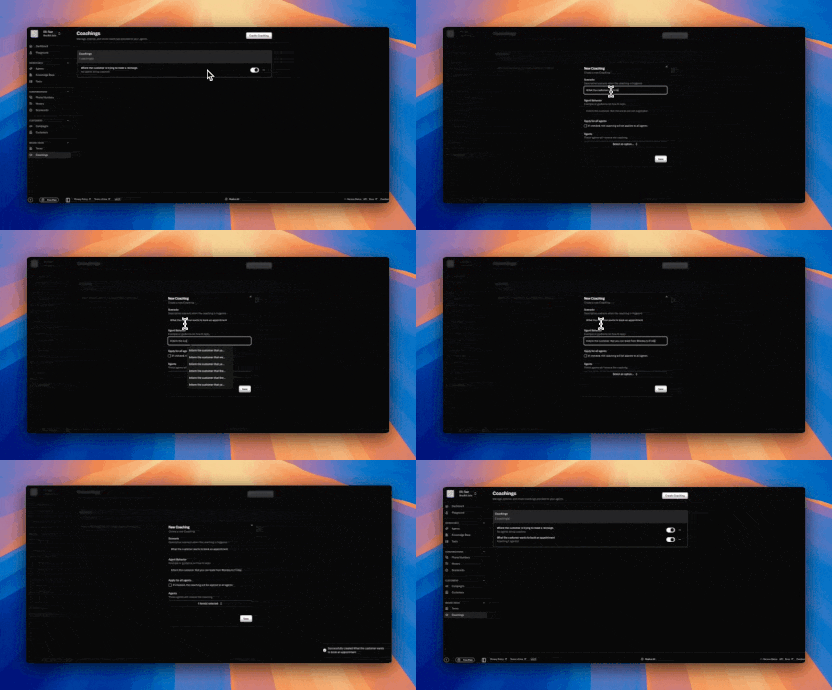 Alternatively, you can quickly create a new coaching directly from a conversation transcript in the history view.
Just click the **Coaching** icon next to the relevant section of the transcript to launch the coaching creation form with context pre-filled.
Alternatively, you can quickly create a new coaching directly from a conversation transcript in the history view.
Just click the **Coaching** icon next to the relevant section of the transcript to launch the coaching creation form with context pre-filled.
 ### Field Explanations
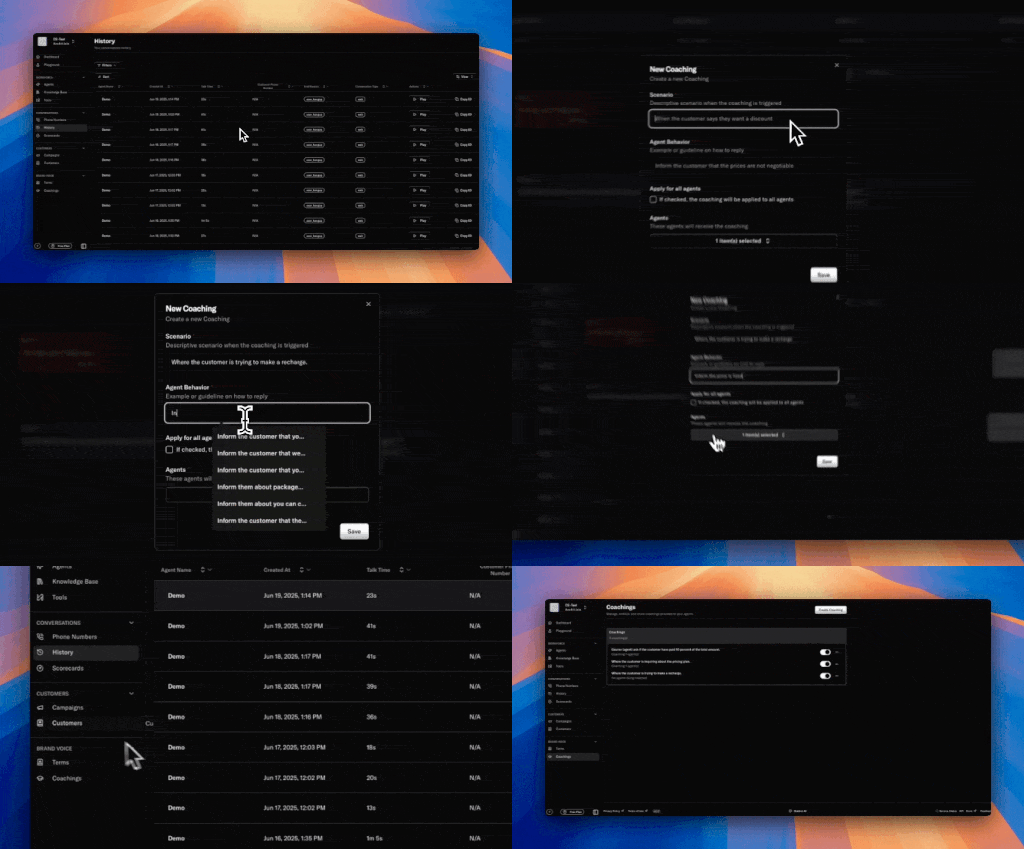
* **Scenario**\
Describe the situation when this coaching should be triggered.\
*Example: "When the customer says they want a discount"*
* **Agent Behavior**\
Provide a guideline or example of how the agent should respond.\
*Example: "Inform the customer that the prices are not negotiable"*
* **Apply for all agents**\
Check this box if you want the coaching to apply to every agent in your organization.
* **Agents**\
Select specific agents who should receive this coaching if not applying to all.
Click **Save** to activate the coaching. The selected agents will now follow this guidance whenever the defined scenario occurs.
***
## Example Scenarios
* **Scenario:** When the customer asks about payment status\
**Agent Behavior:** Politely check if the customer has paid 10 percent of the total amount.
* **Scenario:** Where the customer is inquiring about the pricing plan\
**Agent Behavior:** Clearly explain the available pricing options.
***
## Best Practices
* Use clear, specific scenarios to trigger coaching at the right moments.
* Write actionable, concise agent behaviors for easy adoption.
***
> Need more help? Reach out to our team at [support@oration.ai](mailto:support@oration.ai)
### Field Explanations
* **Scenario**\
Describe the situation when this coaching should be triggered.\
*Example: "When the customer says they want a discount"*
* **Agent Behavior**\
Provide a guideline or example of how the agent should respond.\
*Example: "Inform the customer that the prices are not negotiable"*
* **Apply for all agents**\
Check this box if you want the coaching to apply to every agent in your organization.
* **Agents**\
Select specific agents who should receive this coaching if not applying to all.
Click **Save** to activate the coaching. The selected agents will now follow this guidance whenever the defined scenario occurs.
***
## Example Scenarios
* **Scenario:** When the customer asks about payment status\
**Agent Behavior:** Politely check if the customer has paid 10 percent of the total amount.
* **Scenario:** Where the customer is inquiring about the pricing plan\
**Agent Behavior:** Clearly explain the available pricing options.
***
## Best Practices
* Use clear, specific scenarios to trigger coaching at the right moments.
* Write actionable, concise agent behaviors for easy adoption.
***
> Need more help? Reach out to our team at [support@oration.ai](mailto:support@oration.ai)